Free RAW photo editor that runs in your browser
Open RAW files from most cameras, develop them, and edit them with pro tools and film looks. Your files are developed on your own device and never uploaded.
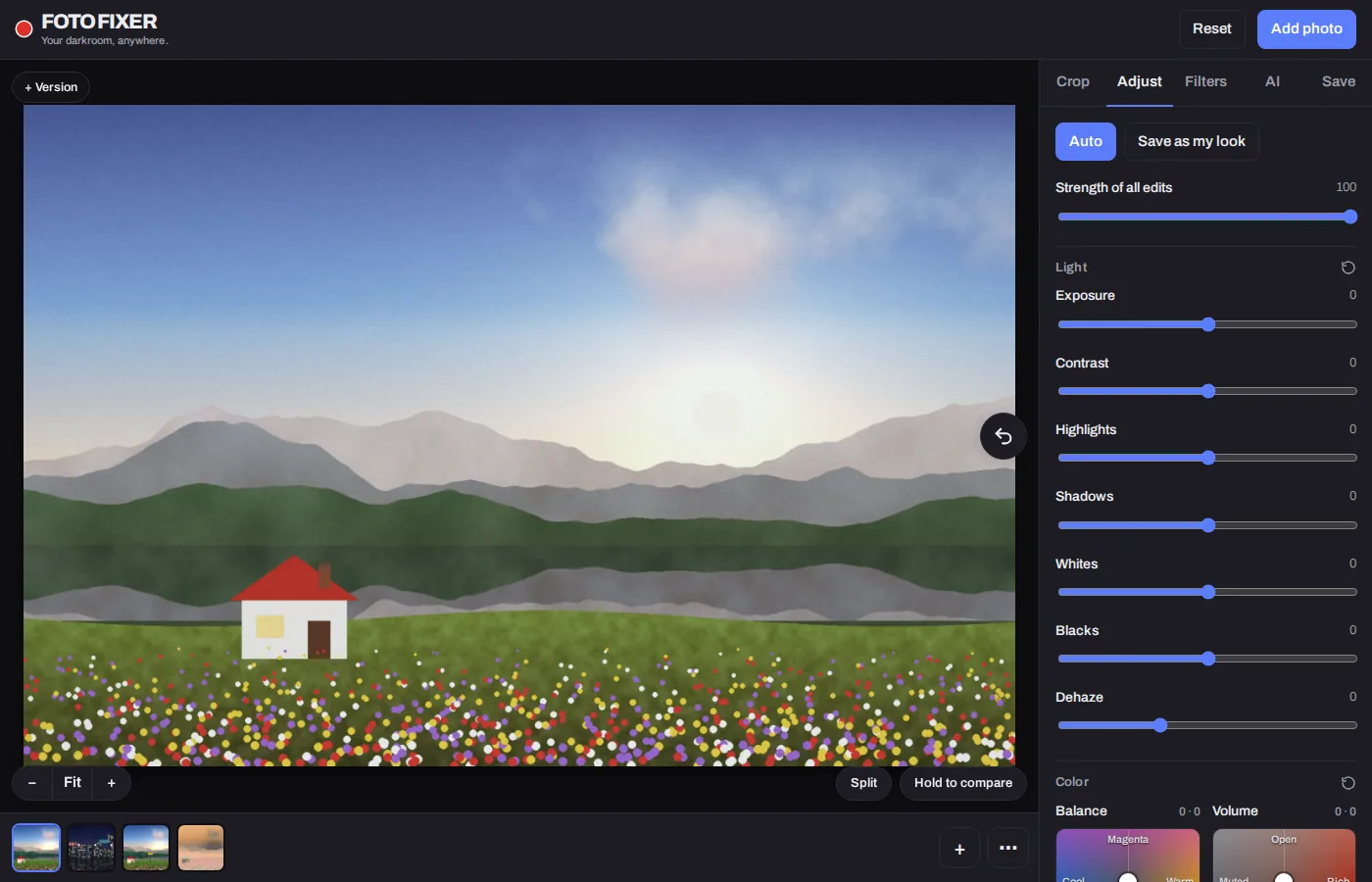
How to edit a RAW photo online
- Click Open a RAW file and choose a file from your camera. It develops in a few seconds, with your camera's white balance.
- Use the Adjust tab for exposure, highlights, shadows, white balance, curves, color grading and more.
- Try a film look on the Filters tab, then fine-tune its strength.
- On the Save tab, choose JPEG, PNG, WebP or uncompressed TIFF and download.
Which RAW files work?
Foto Fixer develops RAW files with LibRaw, the open-source library behind many photo apps. It supports Sony (.ARW, .SRF, .SR2), Canon (.CR3, .CR2, .CRW), Nikon (.NEF, .NRW), Fujifilm (.RAF), Panasonic and Leica (.RW2, .RWL), Olympus and OM System (.ORF), Pentax (.PEF), Samsung (.SRW), Sigma (.X3F), Hasselblad (.3FR, .FFF), Phase One (.IIQ), Leaf (.MOS), Mamiya (.MEF), Minolta (.MRW), Epson (.ERF), Kodak (.KDC, .DCR), GoPro (.GPR) and Adobe DNG (.DNG). Brand-new camera models can take time to be supported.
Your RAW files stay on your device
Many online editors upload your files to a server. Foto Fixer doesn't. The RAW developer runs inside your browser in WebAssembly, so your photos never leave your computer or phone. The developer itself (about 1 MB) downloads the first time you open a RAW file.
What you can do with a RAW file
- Light: Exposure, Contrast, Highlights, Shadows, Whites, Blacks and Dehaze.
- Color: Temperature, Tint, Saturation, Vibrance, Density, Fade, a Balance pad and a Volume pad.
- Tone curve for RGB and for each channel, color grading wheels and an HSL color mixer.
- Detail: Sharpen, Texture, Acutance, Softness and Noise reduction.
- Film: 35 film looks, grain, halation, diffusion and vignette.
- Crop, straighten, rotate and flip, with versions and full undo.
How big can the photo be?
Computers save photos up to 36 megapixels, and phones and tablets up to 16 megapixels, which keeps within their memory limits. A RAW file bigger than the limit is developed at half size.
Questions
Is it really free?
Yes. There's no account, no trial and no watermark.
Does it work on a phone?
Yes. It works in Safari on iPhone and iPad and in Chrome on Android. You can also add it to your home screen, and it works offline after your first visit.
Can I convert RAW to JPG?
Yes. See RAW to JPG: open the file and download it as a JPEG, with or without edits.
Is editing done at full RAW bit depth?
No. The RAW file is developed to a standard 8-bit image first, and editing works on that. For most web and print uses this is plenty, but heavy shadow recovery has less room than in desktop RAW software.